Redirects
Redirects are used to redirect a visitor from one path within your blog to a different URL. You can configure redirects in Settings → Redirects in the Console.
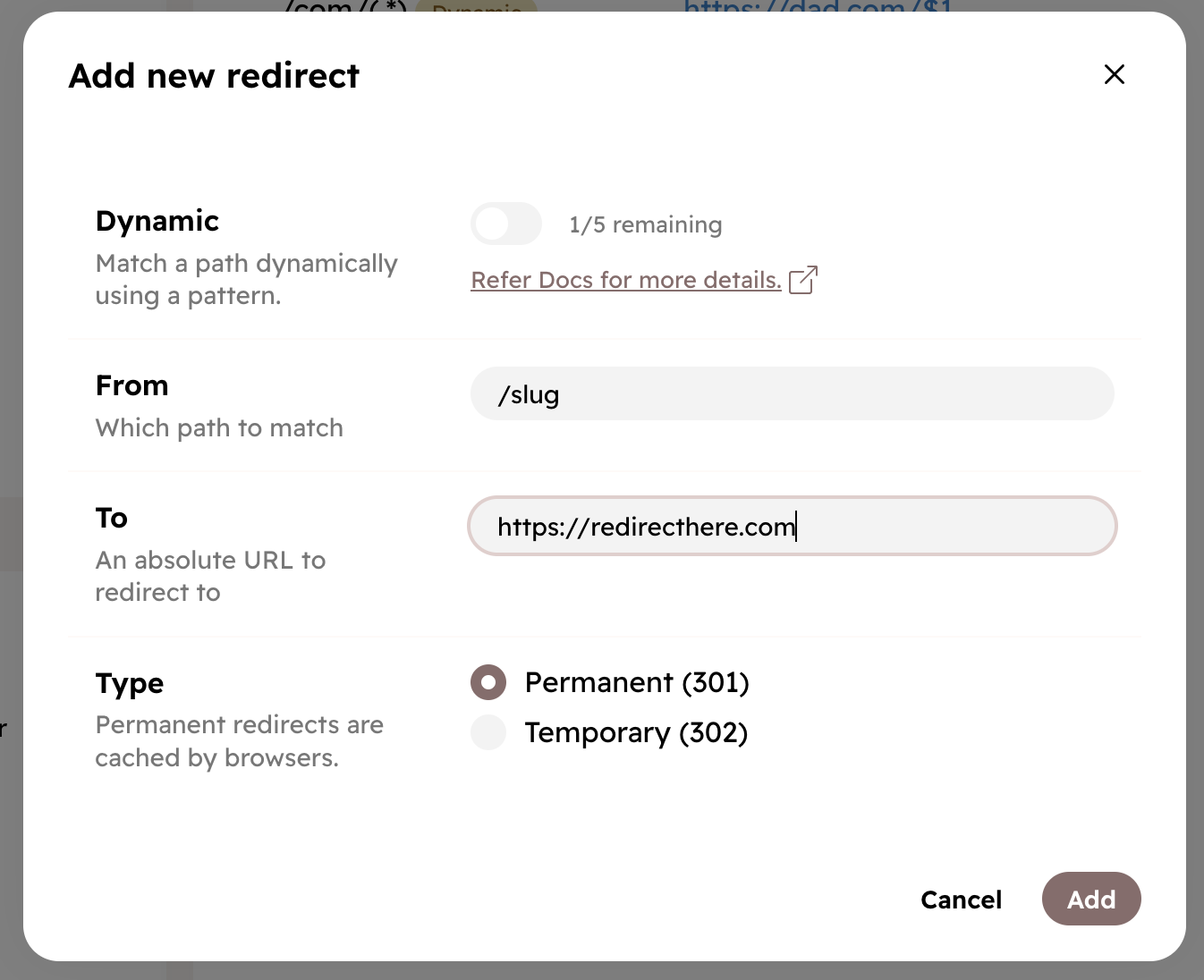
- Dynamic - Match patterns using regular expressions. See Dynamic Redirects.
- From - The path you want to redirect from. For example,
/path. For dynamic redirects, you can use regular expressions. - To - Where to redirect the visitor. It can be a path within your blog or an external URL.
- Type - Permanent (HTTP 301) or Temporary (HTTP 302). It determines the HTTP response code.
Dynamic Redirects
With dynamic redirects, you can match a path dynamically using a pattern. This is useful when you want to redirect multiple paths that follow a pattern to a single destination. For example, you can redirect all requests starting with /author/ to an external site.
You can only have up to 5 dynamic redirects per blog.
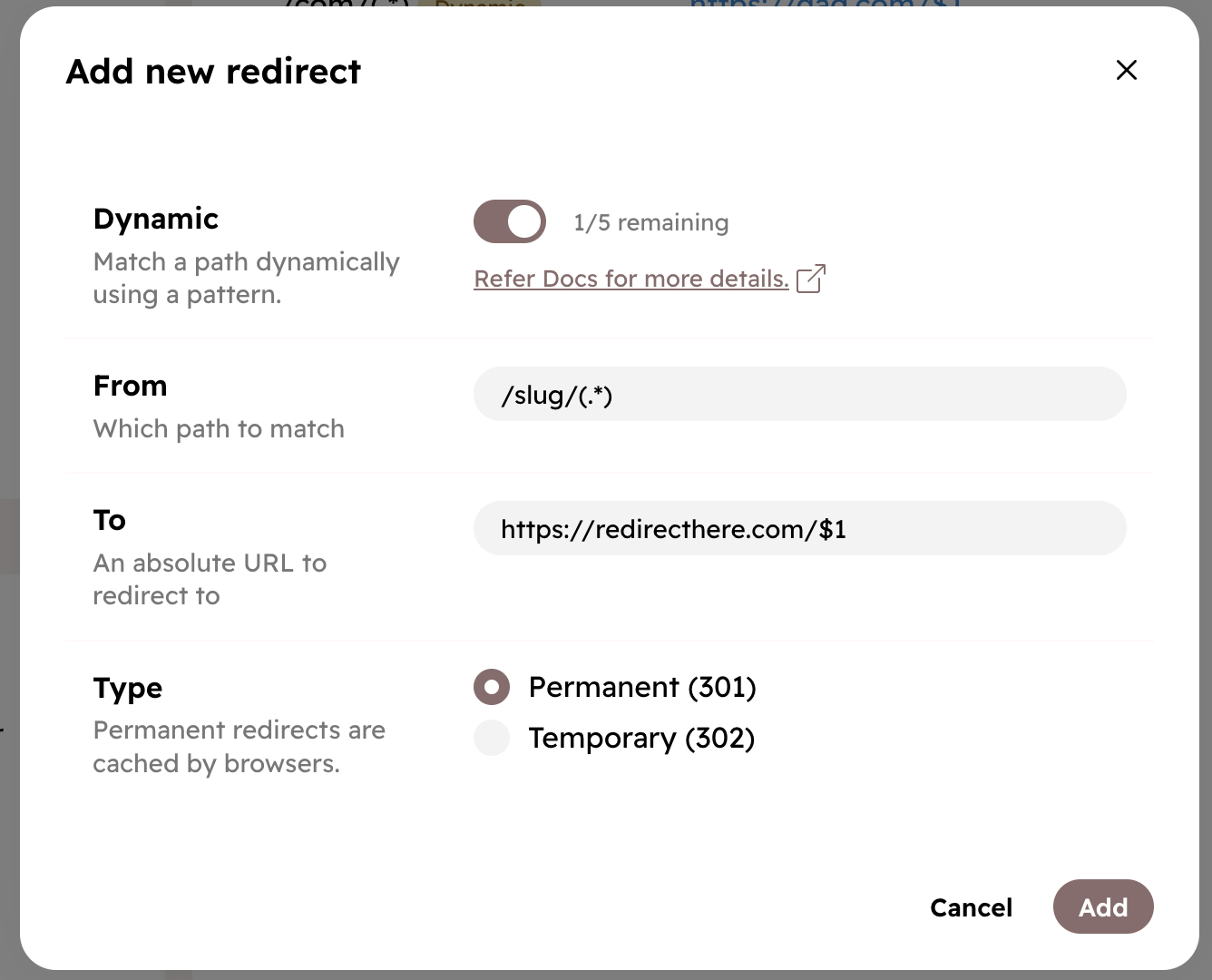
Here’s how to create a dynamic redirect:
- Turn on Dynamic option
- Set From to a regular expression you want to match (we support PCRE2 syntax).
- Set To to the URL you want to redirect to. You can use captured groups here, like
$1. - Choose the Type of redirect and click Add.
Dynamic Redirect Examples
- To redirect all requests starting with
/author/to an external site:
- From:
/author/(.*) - To:
https://externalsite.com
- To redirect all requests starting with
/author/to an external site, keeping the rest of the path:
- From:
/author/(.*) - To:
https://externalsite.com/$1
- To redirect all requests starting with
/author/followed by another/to an external site, with some changes in the original structure of the path:
- From:
/author/([^/]+)/(.*) - To:
https://externalsite.com/$1/somedirectory/$2
- Redirect paths ending with
/to the same path without the trailing slash:
- From:
/(.*)/$ - To:
https://yourblog.com/$1
If you need help with regular expressions, feel free to contact support.