Agent (AI)
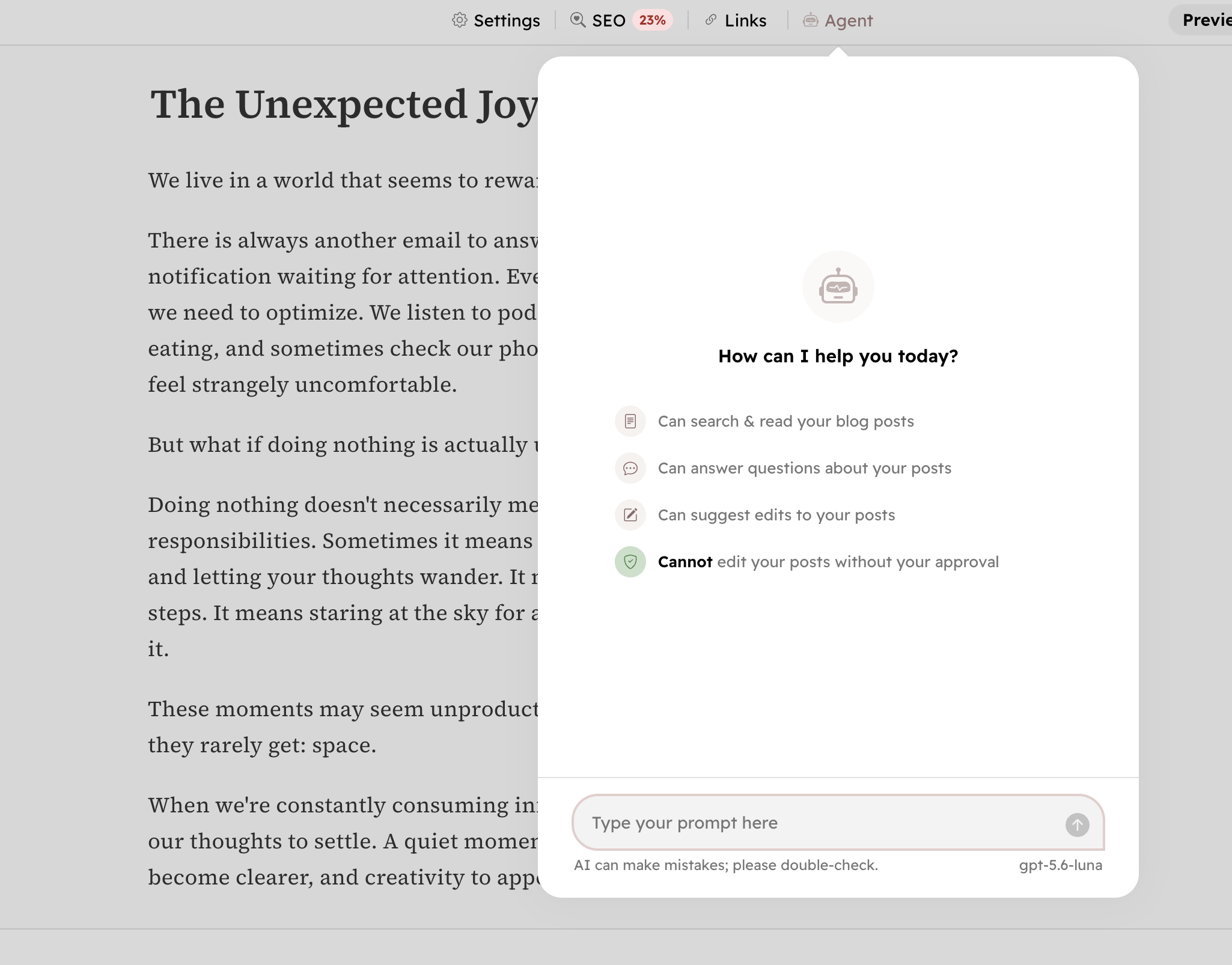
Hyvor Blogs offers an AI agent that can access your posts and provide suggestions to improve them. You can enable or disable the AI agent anytime at Console → Settings → AI.
Features
What AI Agent can do:
- Read your posts
- Read blog settings: tags, authors, languages, etc.
- Summarize posts
- Answer questions related to your posts
- Suggest improvements to your posts
- Generate content ideas for your posts
What AI Agent cannot do:
- Edit posts without your permission, always require your approval (see Review Document Changes)
- Make changes to blog settings
- Delete posts or any other content
Providers & Models
Hyvor Blogs supports a couple of AI providers and models:
- OpenAI (USA)
gpt-5.6-luna(default)gpt-5.6-terragpt-5.6-sol
- Anthropic (USA)
claude-sonnet-5claude-opus-5
- Mistral (France)
mistral-small-latestmistral-medium-latestmistral-large-latestzai-glm-5-2
You can change the model in the Console → Settings → AI section. For most content-oriented tasks (suggesting improvements, summarizing, generating content ideas), even the smallest models work well. You can choose a larger model if you need more advanced capabilities. See pricing below for details.
How to Access the AI Agent
AI agent is available at Console → Agent and within the post editor. Both agents provide the same functionality, but the agent in the post editor is instructed to help you primarily with the post you are editing.
Review Document Changes
An AI agent can suggest changes to your posts. Click “Review Changes” to see the suggested edits and approve or reject each one.
Here’s an example of suggested changes by the AI agent to fix grammar mistakes:
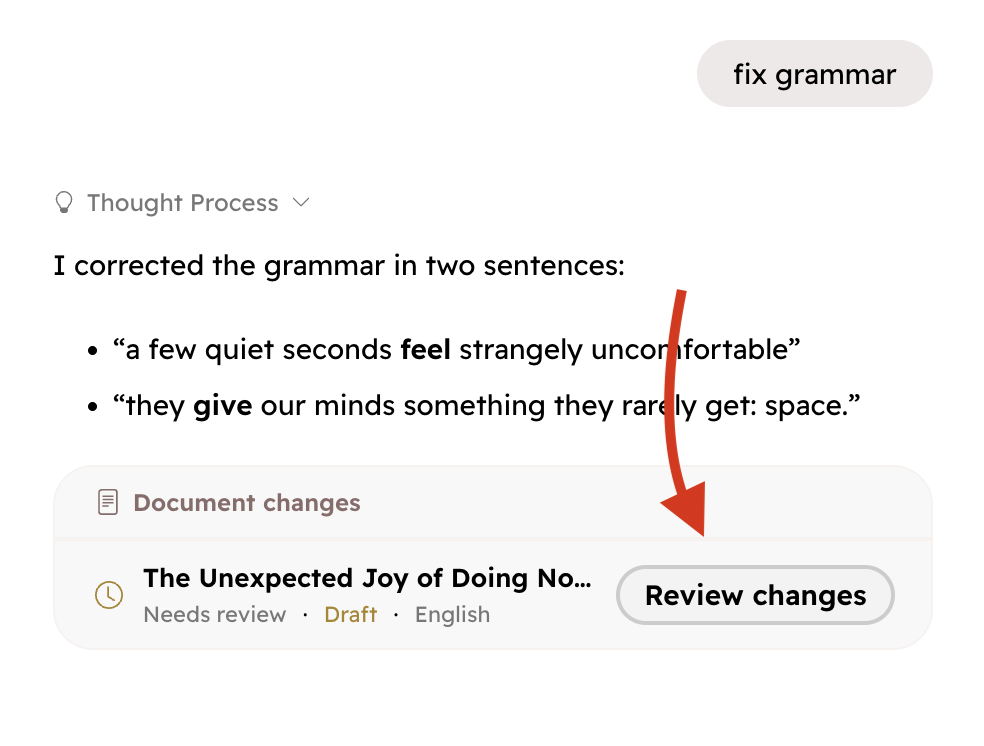
When you click “Review Changes”, a panel will appear allowing you to review each suggested change and either approve or reject one by one.
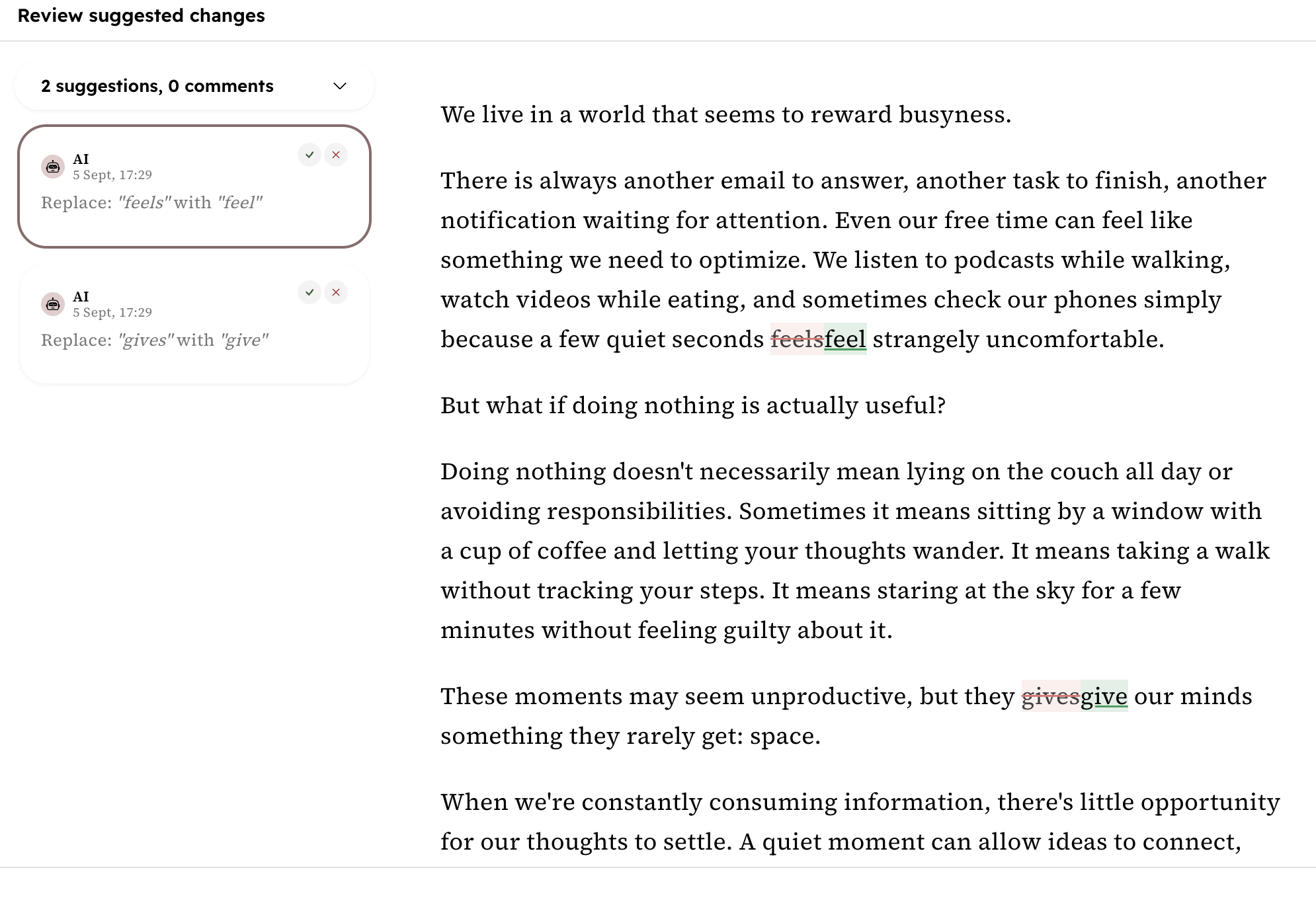
Once done, click “Apply Changes” to save the post.
Pricing
Each pricing plan comes with an AI usage quota for your organization that will be used by all blogs under that organization. In Console & Billing, you can view your current usage and remaining quota. It resets on the first day of each month.
Larger, expensive models consume more of your AI usage quota. Console → Settings → AI shows a relative comparison of the models’ consumption. We recommend starting with smaller models and only using larger models when necessary.
FAQ
Can I ask the AI agent to bypass approval and make changes directly?
No, the AI agent cannot bypass the approval process. All changes must be reviewed and approved by you manually.
Can I use a custom model (self-hosted)?
No, we currently do not support custom models.