Export Data
You can export your blog data at any time using the export feature in the Console. The exported data will include all your posts, tags, users, and other relevant information. The export is provided in JSON format.
Exporting Media
The export file does not include media (uploaded images, videos, etc.) files themselves, only metadata about the media. To get an export of all media files, please contact support.
How to export
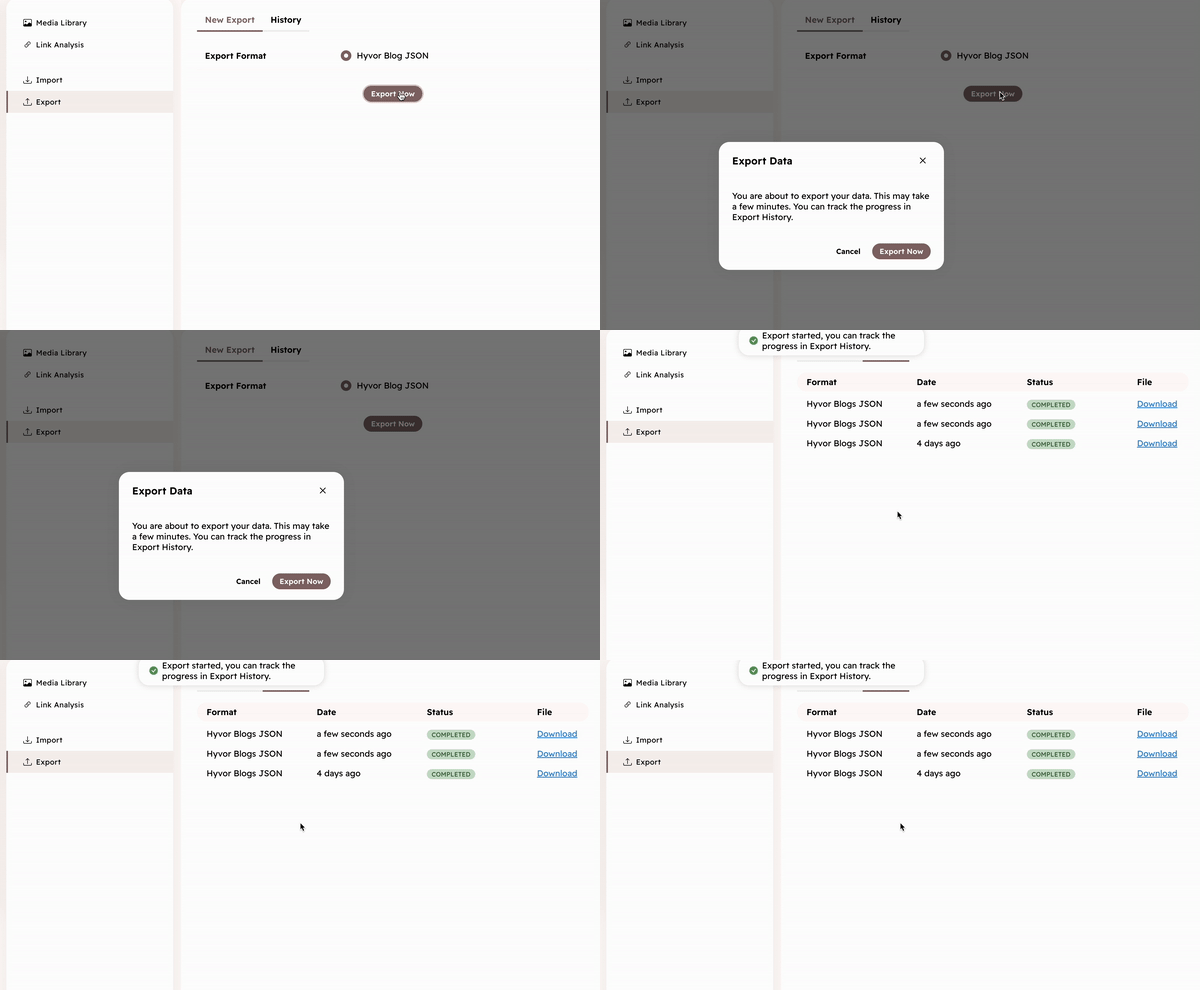
- Go to Tools → Export in the Console
- Click on Export Now button
It will take a couple of minutes depending on the size of your blog. You can track the progress in the History tab.
Export Format
The exported JSON file has the following structure:
{
    "blog": { a blog object },
    "languages": [
        language object,
        ...
    ],
    "posts": [
        {
            "post": post object,
            "variants": [
                post variant object,
                ...
            ]
        },
        ...
    ],
    "users": [
        user object,
        ...
    ],
    "tags": [
        tag object,
        ...
    ],
    "media": [
        media object,
        ...
    ],
    "navigation": [
        navigation object
        ...
    ],
    "routes": [
        route object,
        ...
    ],
    "redirects": [
        redirect object,
        ...
    ],
}
All the objects are in the same format as the Console API.
- Blog Object
- Language Object
- Post Object
- PostVariant Object
- User Object
- Media Object
- Tag Object
- Navigation Object
- Route Object
- Redirect Object
Note: Each entry in posts pairs a Post Object with a variants array of PostVariant Objects, one per language. These variants have an additional content_html property with content converted into HTML.